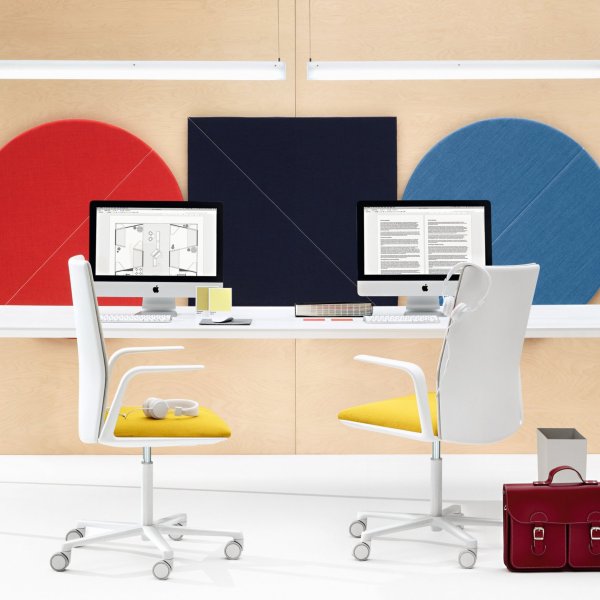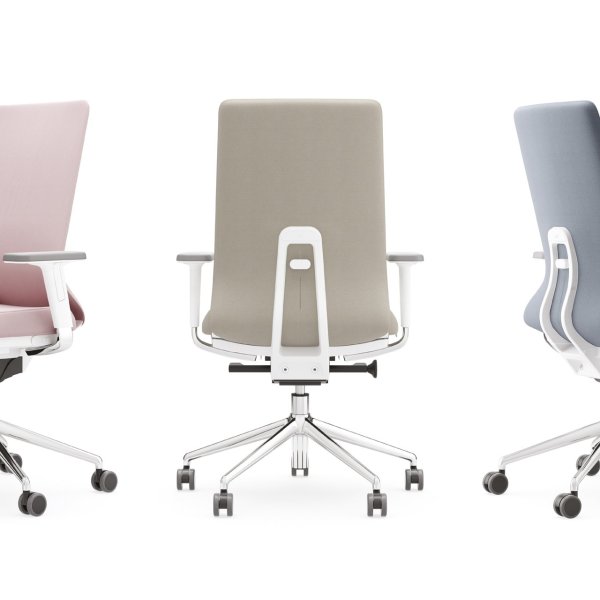
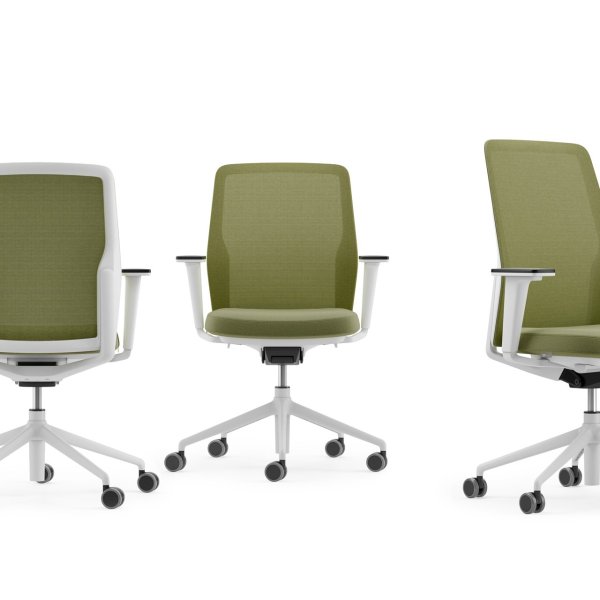
DuoChair
$ 2,138
An ergonomic task chair earns or loses its keep in the last two hours of the day. Anyone can look comfortable at nine in the morning; the chair that matters is the one still supporting a spine at four in the afternoon, on the eighth hour, after the third video call in a row. That’s the standard Italian task seating is engineered to — dynamic support that moves with the body instead of holding it in one fixed shape.
This page is the working seat of the floor: mesh and upholstered task chairs with synchronized tilt — a different job from the executive chair or the conference chair —, real seat-depth adjustment, and lumbar support that actually does something, built to BIFMA durability standards for daily commercial use. The point of good ergonomics isn’t a longer feature list. It’s a chair that fits a range of bodies and gets set correctly — because the most adjustable chair on the market does nothing if it’s shipped, sat in, and never touched again.
La Mercanti specifies task seating floor-wide across the US, matched to the workstation and delivered with the fit guidance that makes the ergonomics actually land. Samples and specifications on request.
Both work; the honest answer depends on the floor’s climate and how the chair is built, not on which material is trendier. Quality mesh is tensioned over a frame to support the back while letting heat escape — a real advantage in warm offices and for people who run hot through a long day. Cheap mesh does sag, but the failure isn’t the mesh itself; it’s the frame and the edge attachment that let it stretch and lose tension over a couple of years. Ask how the mesh is anchored and whether the frame is rated for commercial cycles, because that’s what separates a five-year mesh chair from an eighteen-month one. Upholstered foam gives a firmer, warmer, more enclosed feel and hides wear better in a formal setting, though foam breaks down with use, so seat density is the number to check. For a hot open floor in Texas or Florida, mesh usually wins on comfort across the day. For a cooler space or a more finished look, molded foam of good density holds up fine. The material is a preference; the frame and the build decide the lifespan.
More adjustments do not make a better chair, and past a point they make a worse one. The controls that carry real ergonomic weight are few: seat height, seat depth, backrest tension or a synchronized tilt that keeps the back and seat moving in proportion, and arm height. Get those right for the person and you’ve solved the problem; add lumbar height and you’ve covered the range of bodies a floor actually contains. Everything beyond that — separate back-angle locks, seat-angle tilts, sliding headrests on a chair no one reclines in — tends to sit unused, because people don’t know what the levers do and were never shown. A chair with four well-designed adjustments that get set beats a twelve-lever chair that ships at factory default and never moves. When you evaluate task seating, count the adjustments a normal employee will actually use without a manual, and weight the decision toward chairs that make the important ones obvious. Complexity isn’t the same thing as fit, and a spec sheet full of controls is often a chair that solved for the sales sheet.
BIFMA is the US furniture industry’s set of performance and safety standards, and a chair tested to the seating standard has been put through structural, stability and durability cycles that simulate years of commercial use. For a facilities manager, that’s the assurance the chair won’t fail structurally under normal daily loads; it’s a floor of competence, and a chair that can’t claim it belongs in a home, not on a corporate floor. What BIFMA does not tell you is that the chair is comfortable, that it fits your people, or that the upholstery will resist stains and the mechanism will still feel good in year five. Certification is a durability and safety threshold, not a comfort or a longevity guarantee. It also doesn’t replace the warranty: a chair can pass the standard and still be backed by a thin warranty that excludes the parts most likely to wear. Treat BIFMA as a pass/fail gate you require before a chair enters consideration, then judge comfort by sitting and longevity by the warranty terms. It answers 'is this a real commercial chair'; it doesn’t answer 'is this the right one'.
One model can serve a whole floor, but only if its adjustment ranges cover the range of bodies on that floor — and that’s the spec detail teams skip. The tallest and the smallest person in a group of sixty are dramatically different in leg length, torso height and weight, and a chair whose seat-height and seat-depth ranges were built for the average leaves both ends of that spectrum unsupported. So the right move isn’t a different chair per person; it’s one well-chosen model with wide adjustment ranges, plus a small allowance for an alternate size or a heavier-duty version where the population runs unusually varied. Ask the supplier for the seat-height range, the seat-depth range and the rated user weight, then check them against your actual team, not a generic percentile. Standardizing on one capable model keeps procurement, spares and service simple, which is the real reason to do it. Standardizing on a model that only fits the middle is how you end up with a drawer of aftermarket cushions and a stack of complaints six months in.
The most expensive ergonomic chair on the market does nothing if it ships at factory default and never gets adjusted — which is exactly what happens on most floors. Adjustability is potential, not performance. Run every new chair through the same short sequence on the day it lands, set one baseline the whole floor understands, and you convert a purchase into the outcome you actually paid for: people who make it through the day without their back deciding otherwise.
Start every fit at seat height, because it sets the reference for the arms, the desk and the spine. The person sits back fully, feet flat on the floor, and the height is set so the thighs run roughly parallel to the ground with the knees at or just below hip level. Feet flat is non-negotiable; a seat left too high has people perching or dangling, which cuts off circulation and pushes them onto the front edge within an hour. If the floor runs sit-stand desks, set the seated height to the desk, not the desk to the chair.
This is also the moment to confirm the chair’s height range actually fits the person. A very tall or very short employee who bottoms out or tops out the cylinder here is telling you the model doesn’t cover them, and that’s a spec problem to solve now, not a complaint to absorb later. Get height wrong and no amount of lumbar or arm adjustment recovers the fit; every other setting is measured from this one. On a hybrid floor where people hot-desk, this is also the case for a chair whose height adjusts fast and obviously, since a seat that’s a fight to raise gets left wherever the last person parked it, and the fit quietly resets to nobody.
With height set, move to seat depth: the gap between the front edge of the seat and the back of the knee should run about two to three fingers. Too deep and the person can’t use the backrest without cutting off the leg; too shallow and the thighs lose support. Slide the seat until that gap is right, then set the lumbar. Support should meet the inward curve of the lower back — not the middle of the back, and not so aggressively that it shoves the person forward.
Raise or lower it until it sits in the small of the back and the person feels supported when they relax into it, not braced against it. These two adjustments are where a chair earns its ergonomic claim, and they’re the two most often left untouched, because people don’t know the seat slides or the lumbar moves. On a new floor, do this person by person for the first week; after that people maintain their own settings once they’ve felt the difference between a chair that fits and one that merely arrived. One practical note for a shared floor: a lumbar that ratchets to a marked position is easier for people to reset than one that free-floats, which matters when the same chair carries two shifts or a rotating pool of desks.
Set the armrests so the shoulders stay relaxed and the forearms rest level while typing, elbows near a right angle. Arms set too high hike the shoulders; too low and people lean, which loads the neck. For a floor doing heavy video work, arm support matters more than teams expect, because people spend long stretches with hands up and forward on the desk. Then set the tilt. A synchronized mechanism should let the person recline and return without the seat shooting out from under them; set the tension to their weight, so a light person can still recline and a heavier one isn’t thrown back.
Encourage people to actually use the recline. Movement through the day is the whole point of a dynamic chair, and a tilt that’s locked upright turns an ergonomic chair into an expensive stool. The most common mistake here is leaving the tension at a default that only suits a mid-weight user and quietly fails everyone lighter or heavier, then wondering why half the floor never leans back. If the floor mixes fixed and sit-stand desks, set the arms to clear the keyboard tray and the desk edge in the seated position first, then confirm they don’t catch under the desk when someone rolls in, a small clearance miss that turns into a daily annoyance.
Once you’ve fitted a representative range of people, capture the sequence as a one-page baseline the whole floor can follow: height to feet-flat, seat depth to two or three fingers, lumbar to the small of the back, arms to relaxed shoulders, tilt tension to body weight. Post it, walk new hires through it on day one, and make it part of the desk setup rather than a memo no one opens. This is what turns a good chair into a good outcome across sixty seats instead of six.
It also gives facilities a reference when someone reports discomfort — nine times out of ten the chair drifted from the baseline or was never set, not that the wrong chair was bought. Standardizing the fit, not just the furniture, is the step that separates a floor that stops complaining from one that files the same ticket every month. The chair was never the whole answer; the chair set correctly is, and setting it costs a morning. Keep the one-pager where facilities and IT already look, not in a shared drive nobody opens, and hand a copy to whoever runs onboarding so a new hire’s chair is set on the first morning rather than three uncomfortable weeks later. The cost of the step is a laminated sheet and ten minutes a hire; the cost of skipping it is a floor of good chairs quietly used wrong.